Quick-Change Disc Systems, Decoded
You bought the discs. They won't lock onto your holder. Here's the reason, how to identify what you actually have, and exactly which discs fit which holder — TR, TS, and TP, sorted out for good.
"Quick-change" isn't one system. It's three incompatible standards that all look close enough to be confused at the parts counter — and the wrong pairing is the single most common reason a box of good discs ends up in a drawer. Match the disc's hub to the holder's receptacle, or nothing seats.
Every quick-change disc attaches to a holder pad (also called a backing pad or mandrel) that mounts in your tool. The disc has a hub molded into its center; the holder has a matching receptacle. Swap discs in seconds — no flange nuts, no spanner. The catch: there are three different hub-and-receptacle standards, and they do not cross over. A disc built for one will not lock into the other two.
This guide decodes all three so you stop guessing. We'll cover how to identify the type in your hand, a plain compatibility chart, the alias names the same standard hides behind, and how to match Pro-Graad discs and holders to whatever tool you're running.
01The Three Standards At A Glance
Pick up the disc — not the holder — and look at the plastic or metal button in the center of the back. That button tells you the type. Here's the tell for each.
A plastic threaded male button — a short screw stud sticking out of the disc back. Threads into a female receptacle on the holder with a half turn. If you see plastic threads, it's Type R.
A metal-to-metal hub. The disc seats over a metal post on the holder and locks with a quarter-to-half turn. Metal button, not plastic threads — that's Type S. Heavier metal versions are marked TSM.
A snap-on / snap-off nylon hub. No threads, no turn — push it on, pull it off. If the disc presses on with a click instead of threading or twisting, it's Type P.
The disc's hub and the holder's receptacle must be the same type. Type R discs need a Type R holder. Type S discs need a Type S holder. Type P discs need a Type P holder. Size has to match too — a 2" disc needs a 2" holder. There is no adapter that converts one hub standard to another; you match at the disc-and-holder level.
02The Compatibility Chart
Read across from the holder you own to the discs that will actually lock into it. This is the whole answer to "will these fit?"
| Your Holder | Discs That Fit | How It Locks | What Won't Fit |
|---|---|---|---|
| Type R | Type R (TR) discs only, matched to size. Also accepts any disc built to the 3M Roloc™ TR thread standard. | Plastic male thread into female socket. Half turn on, half turn off. | Type S and Type P discs will not thread in. |
| Type S | Type S (TS) discs only, matched to size. TSM metal-hub discs share this standard. | Metal-to-metal. Seat over the post, quarter-to-half turn to lock. | Type R and Type P discs will not seat. |
| Type P | Type P (TP) discs only, matched to size. | Snap-on / snap-off press fit. Push to seat, pull to release. | Type R and Type S discs will not snap on. |
The costly mistake isn't buying the wrong size — that's obvious in the box. It's buying the wrong hub standard. A Type R disc and a Type S disc of the same diameter look nearly identical until you try to lock them in. Confirm the hub type before you order, every time.
03Same Standard, Different Names
Every brand slaps its own label on these three standards, which is half the reason buyers get lost. The names below all describe the same interchangeable hub — if a listing uses any alias in a row, it fits the holders in that row.
| Standard | Also Sold As | Lock Action |
|---|---|---|
| Type R | Roloc™ TR · Roll-On · Type III · Lockit · Speedlok TR | Thread on, half turn |
| Type S | Roloc™ TS / TSM · Turn-On · Type II · SocAtt · Speedlok TS | Seat and quarter turn |
| Type P | Roloc™ TP · Snap-On · Type I · ClickOn · Power-Lock™ Type I | Push on, pull off |
Type R is the Roloc TR thread standard. Every Pro-Graad Type R disc threads straight onto a Roloc TR holder, and every Pro-Graad Type R holder accepts genuine Roloc TR discs. Same standard, no adapter, direct swap.
04Which Pro-Graad System You Need
Straight answer on where Pro-Graad fits: our disc lines run the Type R standard — bristle discs, non-woven surface conditioning discs, strip discs, silicon carbide discs, and felt polishing discs, all with the Type R male hub. If you're on Type R (or a Roloc™ TR holder), the entire Pro-Graad disc catalog is open to you.
We also stock Type S holders in six sizes for shops running the Type S metal-hub standard on their own discs. And we make the adapters to get any of it spinning on the tool you've actually got.
Choose Type R If…
- You want access to the full Pro-Graad disc line
- You already own 3M Roloc™ TR holders and want discs that fit
- You're buying discs and holders fresh and want the widest selection
- You value grip on the thread under heavy, sustained load
Choose Type S If…
- Your existing discs have a metal hub, not a plastic thread
- You're replacing a lost or worn Type S holder
- You run a shop already standardized on the metal-to-metal system
- You need holder sizes from 3/4" up to 4"
Type R Holders
Female Type R receptacle, 1/4" shank. Fits die grinders and drills directly; add an adapter for angle grinders or specialty tools (section 05). Also available direct on pro-graad.com.
ASIN B0DPGJBYS5
ASIN B0DPGJJCX5
ASIN B0CYR4LDJM
Type S Holders
Metal-to-metal Type S receptacle, 1/4" shank. Six sizes to match your Type S disc inventory — the full range is on pro-graad.com.
ASIN B0FBLRBKQ2
ASIN B0D83CQX54
ASIN B0CWPJKBG4
ASIN B0CL1ZHPX4
ASIN B0CL27L2CD
ASIN B0CWPKCSZW
Pro-Graad doesn't make Type P (snap-on) discs or holders. If the disc in your hand presses on without threading or twisting, that's Type P — and neither our discs nor our holders will fit it. Better you know that here than after a return. If you're not locked into Type P, Type R is the standard with the widest selection and the strongest hold.
05Getting It Onto Your Tool
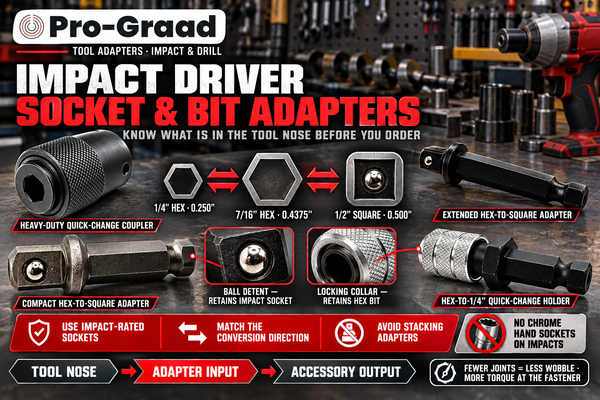
Every Pro-Graad holder runs a 1/4" shank, which drops straight into a die grinder collet or a drill chuck. If your tool isn't one of those, one adapter bridges the gap. Match the adapter to the tool you're holding — or browse the full adapter range on pro-graad.com.
| Your Tool | Interface | What You Need |
|---|---|---|
| Die grinder / drill | 1/4" collet or chuck | Nothing — the holder shank mounts directly. |
| Angle grinder | 5/8"-11 spindle | 5/8"-11 to 1/4"-20 arbor adapter (AG1420). |
| M12 sander / polisher | M9×0.75 thread | M9×0.75 to 1/4"-20 adapter. |
| Aircraft / close-quarter drill | 1/4"-28 thread | 1/4"-28 to 1/4"-20 adapter (54021). |
| Dremel / rotary tool | 1/8" collet | 1/8" shank to 1/4"-20 adapter (E-11). |
Getting this right is two questions, not one. First: does the disc's hub match the holder's type (R, S, or P)? Second: does the holder's shank match your tool, or do you need one adapter to bridge it? Nail both and it spins the first time.
06Quick-Change Disc FAQ
What is the difference between Type R, Type S, and Type P discs?
They're three separate attachment standards. Type R (TR) uses a plastic threaded male button that screws into the holder with a half turn. Type S (TS) is a metal-to-metal hub that seats over a post and locks with a quarter-to-half turn. Type P (TP) snaps on and off with no thread or turn. The three are not interchangeable — each disc type only fits a holder of the same type.
Are Pro-Graad discs compatible with 3M Roloc™ holders?
Yes, for the Type R standard. Type R is the same thread standard 3M sells as Roloc TR, so Pro-Graad Type R discs thread directly onto a Roloc TR holder, and Pro-Graad Type R holders accept genuine Roloc TR discs. No adapter is needed. Pro-Graad is an independent brand and is not affiliated with 3M.
How do I tell which type I have?
Look at the disc, not the holder. A plastic threaded stud means Type R. A metal button that seats over a post and twists to lock means Type S. A hub that pushes on and pulls off with no threads means Type P. When in doubt, the plastic-thread-versus-metal-hub difference is the fastest way to separate the two most common types, R and S.
Can I use an adapter to make a Type R disc fit a Type S holder?
No. There's no adapter that converts one hub standard to another — the disc hub and holder receptacle have to be the same type from the start. Adapters only bridge the holder's shank to a different tool (for example, a 1/4" shank onto a 5/8"-11 angle grinder). Compatibility between disc and holder is matched at the hub, not with an adapter.
Does the disc size have to match the holder size?
Yes. A 2" disc runs on a 2" holder, a 3" disc on a 3" holder, and so on. Running an oversized disc on a smaller holder leaves the edge unsupported; an undersized disc doesn't cover the pad. Match both the type and the size.
Which quick-change system should I standardize on?
For most shops, Type R. It's the most widely stocked standard across brands, it threads securely under heavy load, and it opens up the full Pro-Graad disc line — bristle, non-woven, strip, silicon carbide, and felt. Type S makes sense if you're already invested in metal-hub discs. Type P is the least common of the three.
What tools do these run on?
Any Pro-Graad holder has a 1/4" shank that fits a die grinder or drill directly. For an angle grinder, M12 tool, aircraft drill, or Dremel-style rotary tool, a single thread adapter bridges the shank to that tool — see the adapter table above.
Built For The Work. Priced For The Worker.
Match the type, match the size, spin it on. Type R discs, Type R and Type S holders, and the adapters to run them on any tool in the shop.
Roloc™ and Power-Lock™ are trademarks of their respective owners (3M and Saint-Gobain). Pro-Graad is an independent brand and is not affiliated with, endorsed by, or sponsored by these companies. Trademarked names are used solely to describe attachment-standard compatibility.